Help Center / Account

Download your records or close your account

Applies to: All plans · Last updated October 9, 2026

Take everything with you in one ZIP, any time.

Download your records

  1. Go to Profile → Password & security.
  2. Under Download my records, select Download my records.
  3. Keep the tab open. Large file collections take a few minutes.

You get one ZIP with:

  • an Excel workbook of your credentials, renewal cycles, activities, claims and files
  • the same tables as CSV files
  • every stored file, in folders

Owners and admins can also download everyone in their organization.
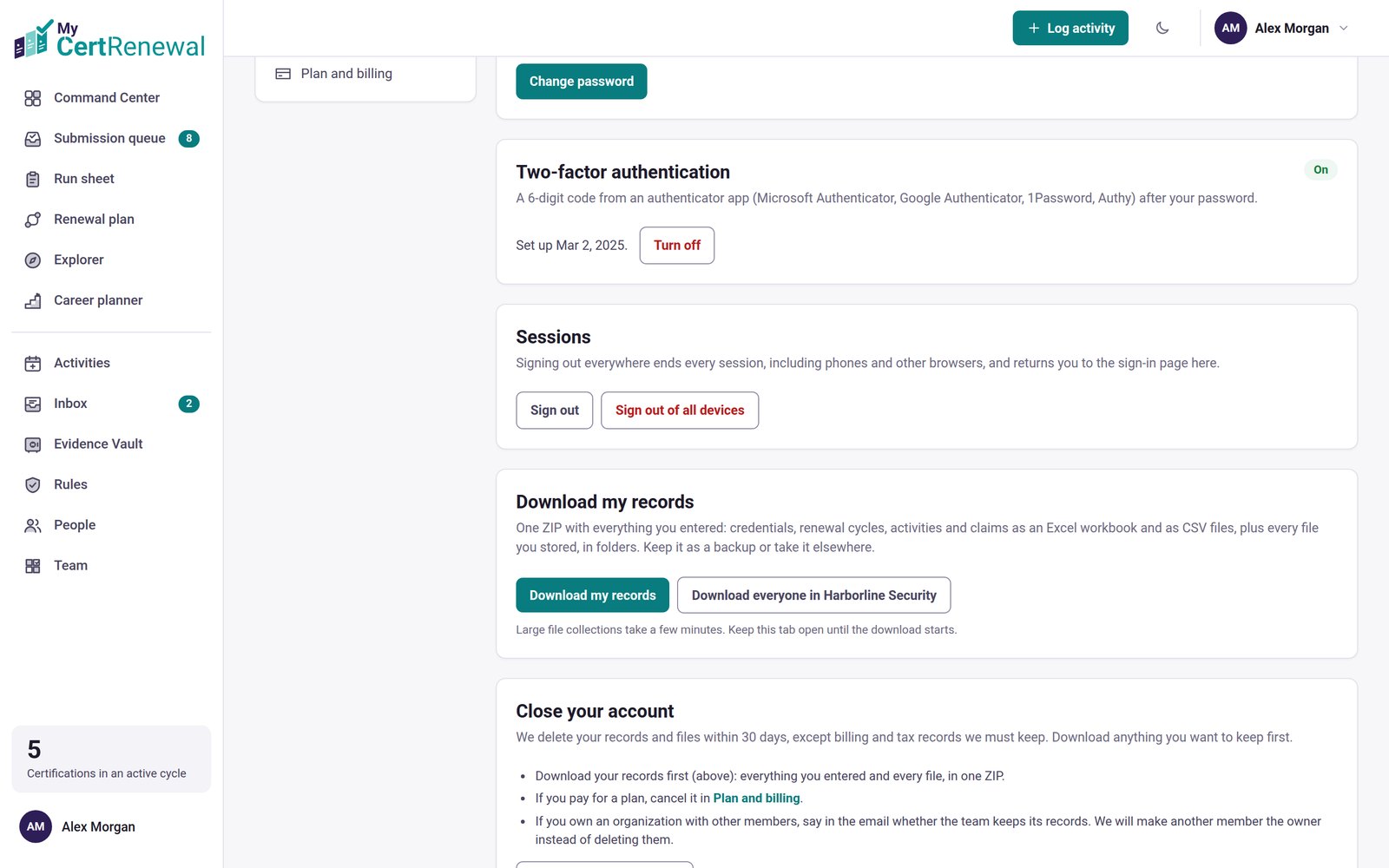
MyCertRenewal app screen: Download my records, and Close your account below it.
Download my records, and Close your account below it.

Close your account

  1. Download your records first.
  2. If you pay for a plan, cancel it in Profile → Plan and billing.
  3. Under Close your account, select Request account deletion. It opens an email to [email protected]. Send it from your sign-in address so we can confirm it is you. If you own an organization with other members, say whether the team keeps its records. We will make another member the owner instead of deleting them.

We delete your records and files within 30 days, except billing and tax records we must keep.

Change your sign-in email

Go to Profile → Password & security → Change sign-in email. A confirmation link goes to both the old and the new address, and the change applies once it is confirmed.

Good to know

  • Deleted something by mistake rather than wanting to leave? Restore it from Recently deleted for 30 days.

Still stuck? Email [email protected] and tell us what you were trying to do.

Related articles

Create your account and choose a plan

Fix or remove something you saved

Store and find your files in the Evidence Vault

Track it all in one place

MyCertRenewal lets you log an activity once and see the credit it earns at each certification it applies to. Start free with up to 2 certifications.

Certification renewal and CPE/CEU tracking for IT and security professionals who hold more than one certification. MyCertRenewal is a ConsultraCloud product.

MyCertRenewal is a ConsultraCloud product.

App screens show sample data. All trademarks belong to their respective owners. MyCertRenewal is not affiliated with or endorsed by ISC2, CompTIA, EC-Council, ISACA, Cisco, Credly, Amazon Web Services or Microsoft.

© 2026 ConsultraCloud. All rights reserved.