
Help Center / Logging activities

Forward an email to your Inbox

Applies to: Pro, Team and Compliance · Last updated October 9, 2026

Forward the email, check the draft, save. Your activity and its proof are in without retyping a thing.

Find your address

  1. Open Inbox in the left menu.
  2. Your forwarding address is at the top, for example [email protected]. Select Copy.
  3. Add it to your email contacts so it is easy to forward to.
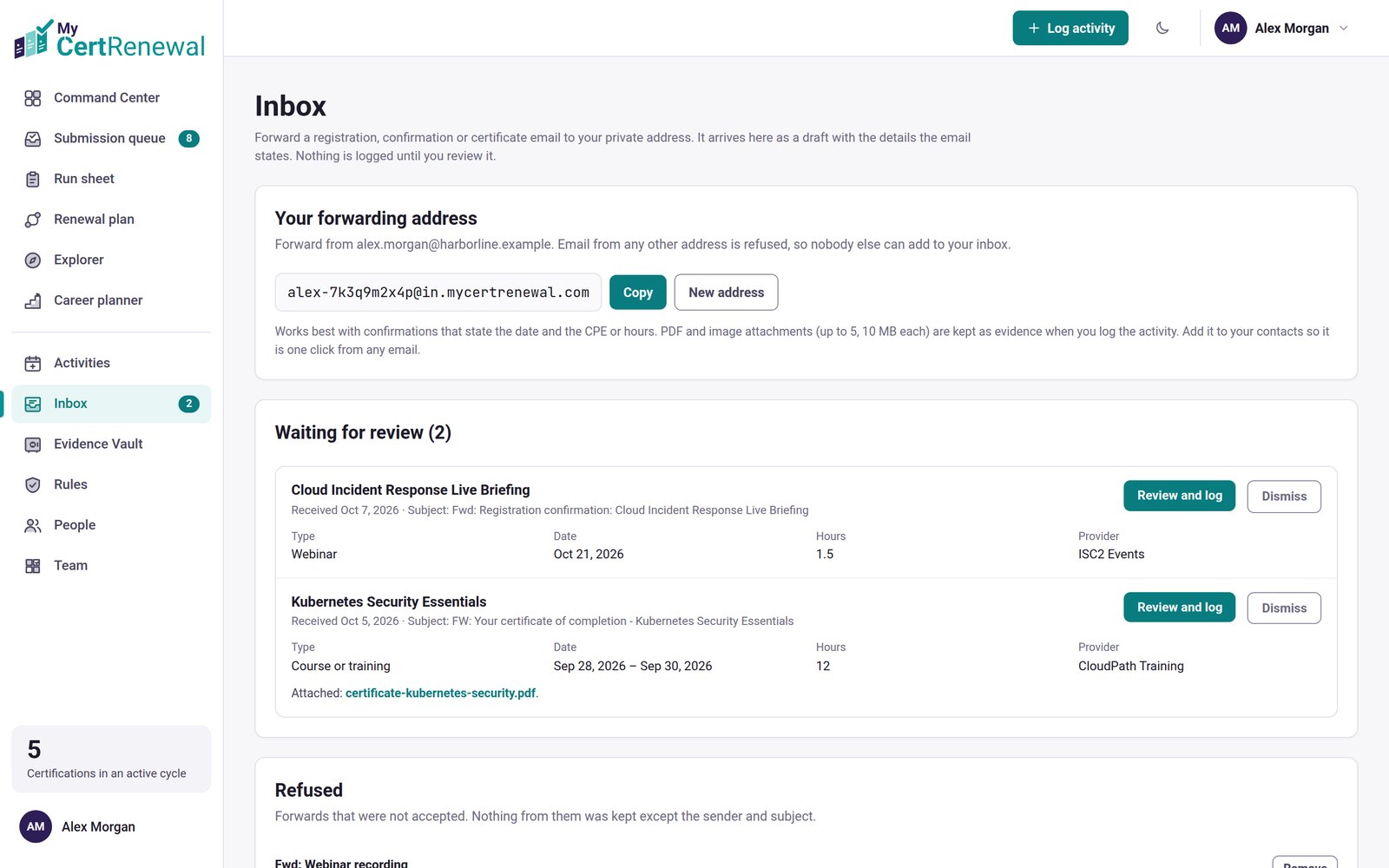
MyCertRenewal app screen: The Inbox, with your forwarding address.
The Inbox, with your forwarding address.

Turn an email into an activity

  1. Forward a registration confirmation, attendance certificate or receipt from your sign-in email or the contact email on your profile.
  2. In Inbox, open the item under Waiting for review and select Review and log.
  3. Check every field in the draft: title, type, date, hours and provider. If the email did not say how many hours, the hours are left empty for you to fill in.
  4. Save. The attachments become the activity’s evidence. Or select Dismiss to remove the item and its attachments.

Nothing is logged until you review it and save.

Have the certificate as a file? You can also drop it straight onto Log activity: see Start from a certificate or confirmation.
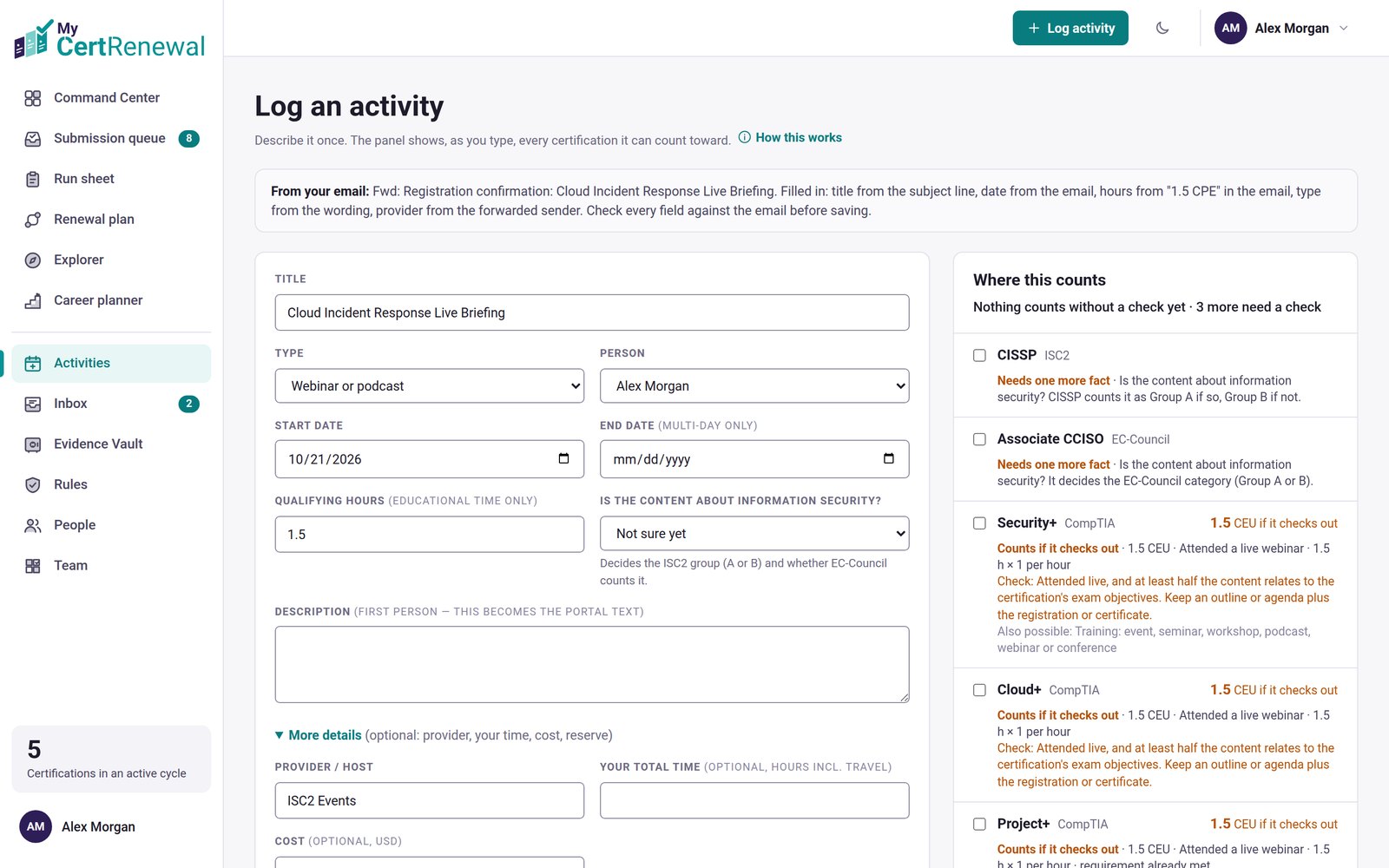

MyCertRenewal app screen: A draft made from a forwarded registration email.
A draft made from a forwarded registration email.

Good to know

  • Only email from your own sign-in email or profile contact email is accepted, and it must pass standard email checks (SPF or DKIM). Anything else is refused and listed under Refused, showing only the sender and subject.
  • Attachments: PDF and images, up to 5 files of 10 MB each. Images inside the email body are skipped.
  • Up to 50 emails a day.
  • Want a fresh address? Select New address. The old one stops working.

Still stuck? Email [email protected] and tell us what you were trying to do.

Related articles

Log an activity

Store and find your files in the Evidence Vault

Fix or remove something you saved

Track it all in one place

MyCertRenewal lets you log an activity once and see the credit it earns at each certification it applies to. Start free with up to 2 certifications.

Certification renewal and CPE/CEU tracking for IT and security professionals who hold more than one certification. MyCertRenewal is a ConsultraCloud product.

MyCertRenewal is a ConsultraCloud product.

App screens show sample data. All trademarks belong to their respective owners. MyCertRenewal is not affiliated with or endorsed by ISC2, CompTIA, EC-Council, ISACA, Cisco, Credly, Amazon Web Services or Microsoft.

© 2026 ConsultraCloud. All rights reserved.