
Help Center / Getting started

Your renewal cycles

Applies to: All plans · Last updated October 8, 2026

Each certification you are maintaining has a renewal cycle: a window, a requirement and the credit counted toward it so far.

Set up a renewal cycle

  1. In Profile → Credentials, select Set up renewal on the certification.
  2. Enter the cycle’s start and end dates and the credits it requires.
  3. If you have already earned credit, enter the total your certifying body’s portal shows. You can also add the body’s transcript as proof.
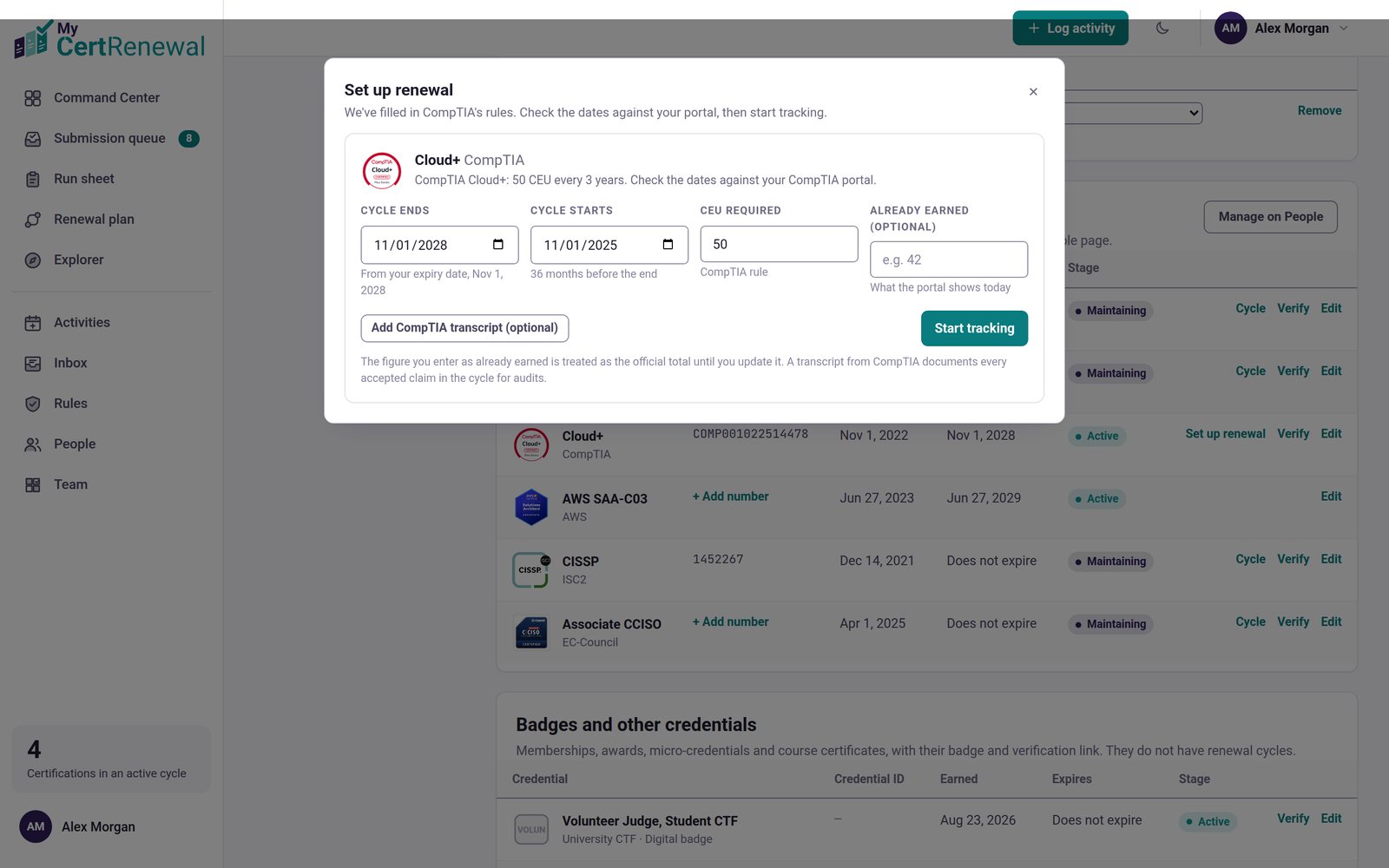
MyCertRenewal app screen: The Set up renewal window.
The Set up renewal window.

Open a cycle

Select a certification on the Command Center timeline, or select Cycle next to it in your credentials. The cycle page shows:

  • The path to the requirement (for example “Path to 120”): credit recorded by the certifying body, submitted, ready, planned and identified, against the total needed.
  • Audit readiness: how completely the credit you are relying on is documented.
  • The claims list, where each claim’s Move to menu changes its status.
  • Submission & audit package, which prints to PDF and has Download evidence (ZIP).
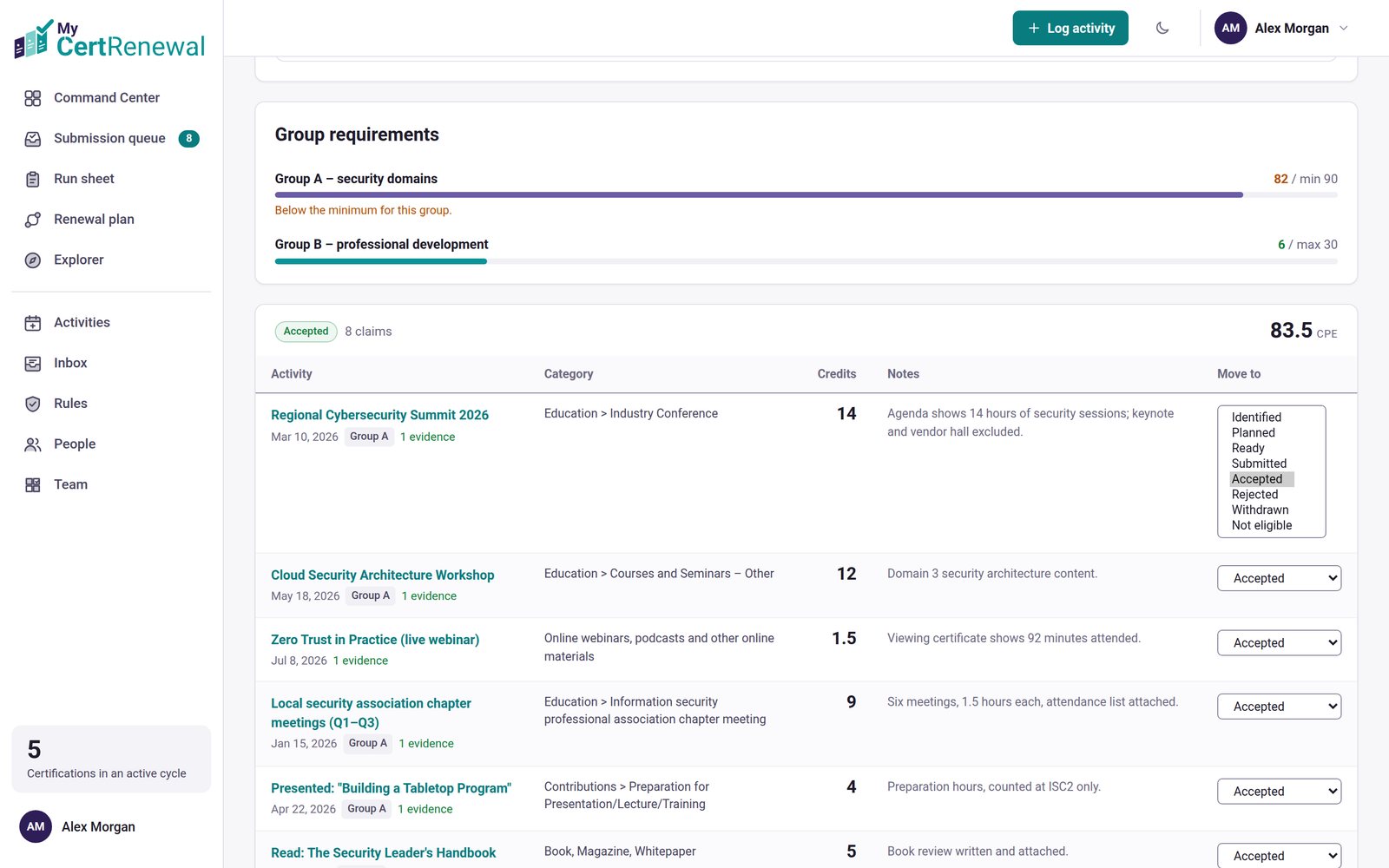
MyCertRenewal app screen: A cycle page, with the Move to menu shown expanded.
A cycle page, with the Move to menu shown expanded.

Certifications that renew by exam

Some certifications renew by passing the current exam or an assessment. They show “Renew by passing the exam” with the expiry date and have no credits to plan.

Good to know

  • Reminder emails warn you before a cycle ends while it is still short of its requirement. Choose which reminders you get in Profile → Notifications.
  • CE fees are tracked too, with a reminder before the cycle ends.

Still stuck? Email [email protected] and tell us what you were trying to do.

Related articles

A tour of the Command Center

What the statuses and labels mean

Add evidence: the audit package

Track it all in one place

MyCertRenewal lets you log an activity once and see the credit it earns at each certification it applies to. Start free with up to 2 certifications.

Certification renewal and CPE/CEU tracking for IT and security professionals who hold more than one certification. MyCertRenewal is a ConsultraCloud product.

MyCertRenewal is a ConsultraCloud product.

App screens show sample data. All trademarks belong to their respective owners. MyCertRenewal is not affiliated with or endorsed by ISC2, CompTIA, EC-Council, ISACA, Cisco, Credly, Amazon Web Services or Microsoft.

© 2026 ConsultraCloud. All rights reserved.