
Help Center / Logging activities

Add evidence: the audit package

Applies to: All plans · Last updated October 8, 2026

Each activity has an audit package: the documents that prove it, typed so the right ones go with each submission and any audit.

Add a document

  1. Open the activity.
  2. In Audit package, choose the Document type, then select + Upload file.
  3. The checklist ticks off each type as it is added. Certificate, Agenda and Registration are the core documents; the rest are optional.
  4. The Preview panel shows the selected document beside the claims, so you can check it without leaving the page. To change a file’s type later, use the type menu next to it in the file list.
  5. What each body asks for shows the proof rule for each category the activity is claimed under.
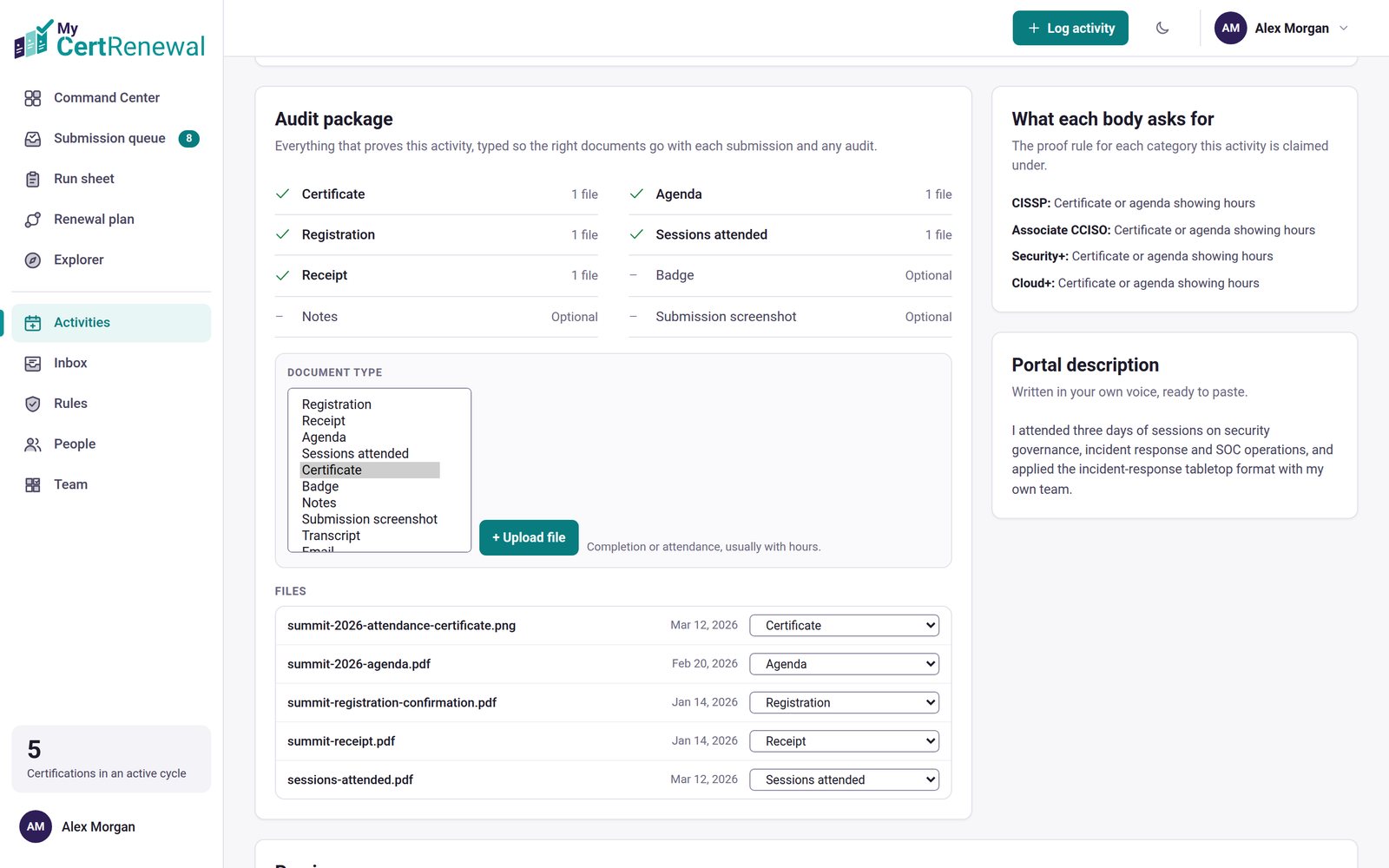
MyCertRenewal app screen: The audit package, with the Document type list shown expanded.
The audit package, with the Document type list shown expanded.

Document types

Registration, Receipt, Agenda, Sessions attended, Certificate, Badge, Notes, Submission screenshot, Transcript, Email, Screenshot, Slide deck, Attendance list, Review / write-up, Invoice, Letter and Other.

Limits

  • Up to 25 MB per file. Any file type can be stored. PDFs and images preview in the app; other files open or download.
  • Storage by plan: Free 250 MB, Pro 5 GB, Team 5 GB per person, Compliance 10 GB per person.
  • When storage is full, new uploads are refused with a message pointing to Profile → Plan and billing. Existing files are never touched, and everything else keeps working.

Good to know

  • For a whole cycle, Submission & audit package on the cycle page prints to PDF and has Download evidence (ZIP): every file in a folder per claim, plus a claims.csv.

Still stuck? Email [email protected] and tell us what you were trying to do.

Related articles

Log an activity

Your renewal cycles

The portal description and how to use it

Track it all in one place

MyCertRenewal lets you log an activity once and see the credit it earns at each certification it applies to. Start free with up to 2 certifications.

Certification renewal and CPE/CEU tracking for IT and security professionals who hold more than one certification. MyCertRenewal is a ConsultraCloud product.

MyCertRenewal is a ConsultraCloud product.

App screens show sample data. All trademarks belong to their respective owners. MyCertRenewal is not affiliated with or endorsed by ISC2, CompTIA, EC-Council, ISACA, Cisco, Credly, Amazon Web Services or Microsoft.

© 2026 ConsultraCloud. All rights reserved.