Help Center / Logging activities

The portal description and how to use it

Applies to: All plans · Last updated October 8, 2026

Certifying bodies ask for a short description when you submit credit. MyCertRenewal keeps one, written in your own voice, ready to paste.

Write it once

  1. When you log an activity, write the Description in the first person, for example “I attended three days of sessions on security governance and incident response.”
  2. It appears on the activity page as Portal description, ready to paste.

Paste it when you file

  1. Open the Submission queue. It lists every claim not yet accepted, by certification, soonest deadline first.
  2. Each claim shows its description with a Copy button. Paste it into the certifying body’s portal.
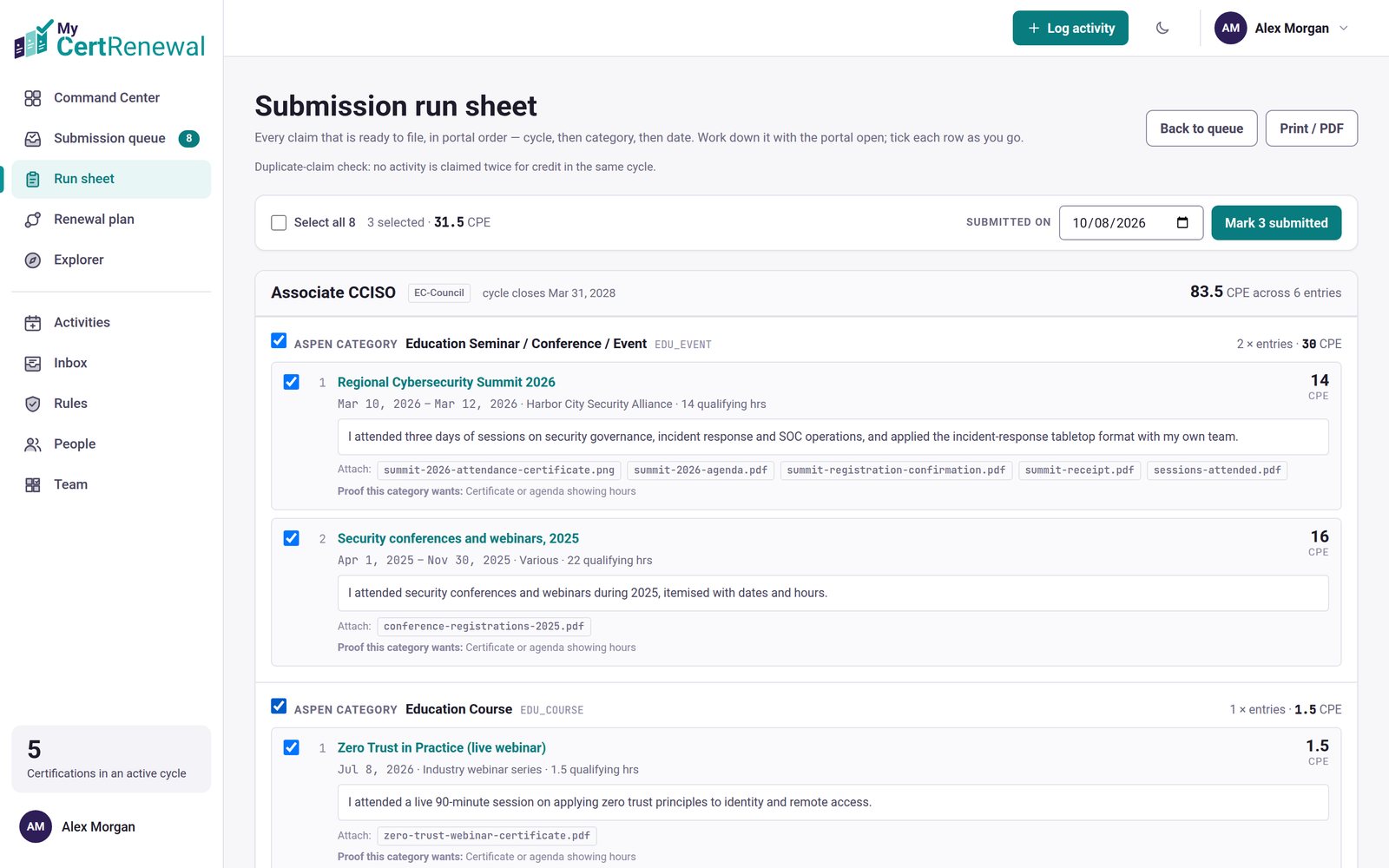
  3. Working through several claims in one sitting? Select Open run sheet, then select Mark submitted when you are done (it shows the count, for example Mark 5 submitted). The run sheet also has Print / PDF.
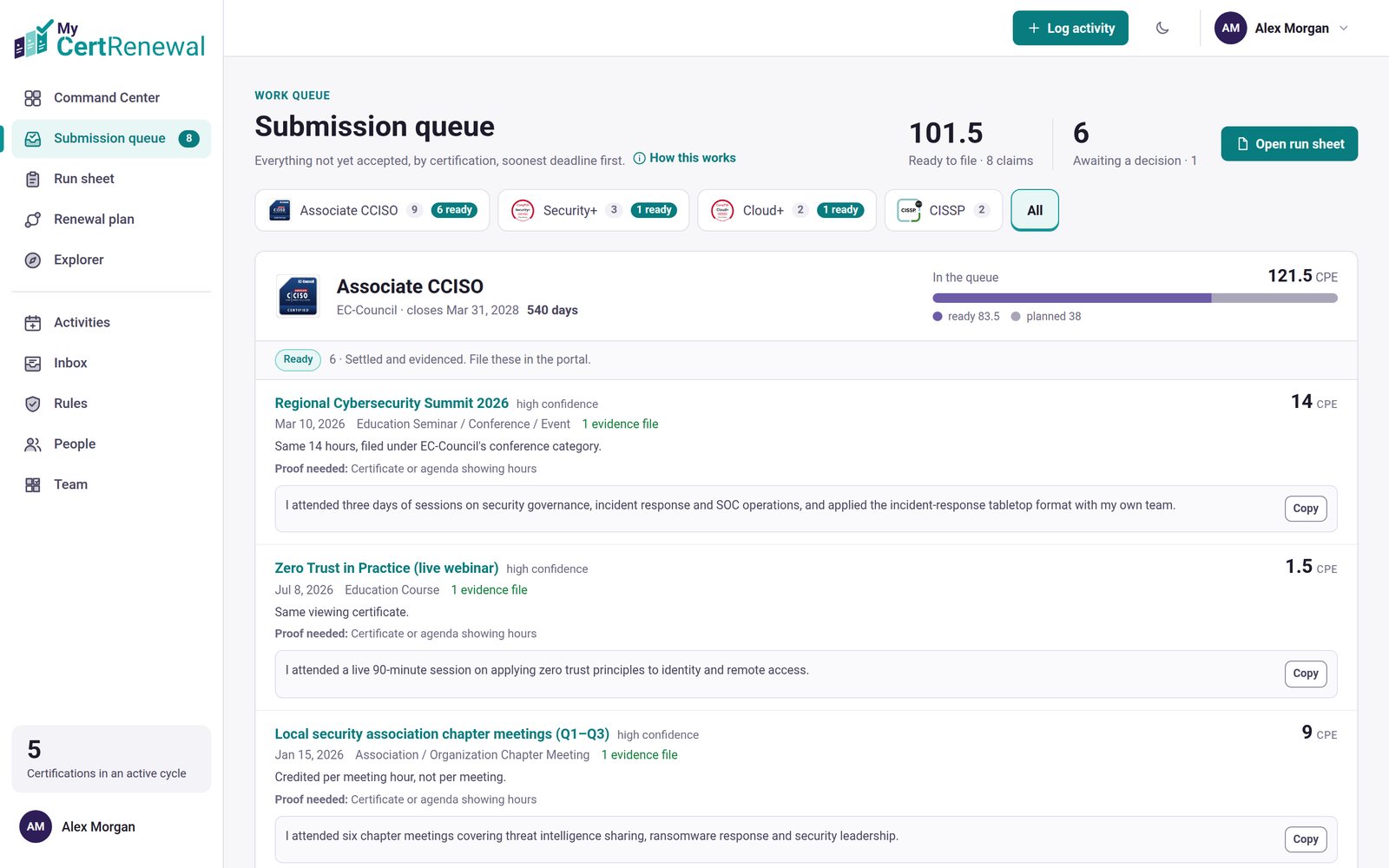
MyCertRenewal app screen: The Submission queue, with a Copy button for each description.
The Submission queue, with a Copy button for each description.
MyCertRenewal app screen: The run sheet, with Mark submitted and Print / PDF.
The run sheet, with Mark submitted and Print / PDF.

Good to know

  • Describe what you did and learned, not the event’s marketing copy. Certifying bodies look for content that relates to the certification.

Still stuck? Email [email protected] and tell us what you were trying to do.

Related articles

What the statuses and labels mean

Log an activity

Add evidence: the audit package

Track it all in one place

MyCertRenewal lets you log an activity once and see the credit it earns at each certification it applies to. Start free with up to 2 certifications.

Certification renewal and CPE/CEU tracking for IT and security professionals who hold more than one certification. MyCertRenewal is a ConsultraCloud product.

MyCertRenewal is a ConsultraCloud product.

App screens show sample data. All trademarks belong to their respective owners. MyCertRenewal is not affiliated with or endorsed by ISC2, CompTIA, EC-Council, ISACA, Cisco, Credly, Amazon Web Services or Microsoft.

© 2026 ConsultraCloud. All rights reserved.